USA
Report scams to the FTC at ReportFraud.ftc.gov. Forward scam texts to 7726.


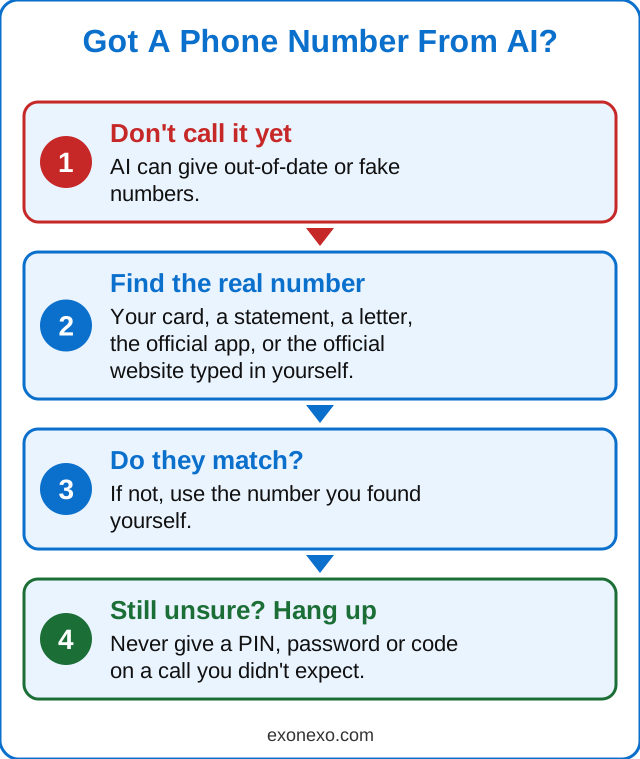
Never call a phone number or open a website just because an AI answer or search result gave it to you. Scammers plant fake customer service numbers online, and AI can repeat them. Get contact details from the back of your card, a letter, the official app, or a website address you type yourself.
-
You ask Google or a chatbot for your airline's or bank's phone number. It gives you one. You call, and the friendly person on the line asks for your card details.
AI tools like Google's AI Overviews and ChatGPT build answers from what's on the web. If scammers have posted a fake "customer service" number in enough places, the AI can repeat it as if it were real. AI can also simply make up a number or web address that looks right. Google's own help page says AI Overviews can make mistakes.
Get contact details from a source you already trust: the back of your bank card, a printed bill or letter, the official app, or a website address you type yourself. Not from an AI answer, an advert or a search result.
Yes. Ask: "Where did you get that phone number? Give me the link to the official page." Then open the link and make sure it's really the company's own website. If it can't show you, don't use the number.
Report scams to the FTC at ReportFraud.ftc.gov. Forward scam texts to 7726.
Report scam websites to the NCSC at ncsc.gov.uk. Call 159 to reach your bank safely. If you've lost money, report it to Report Fraud at reportfraud.police.uk or 0300 123 2040 (Scotland: Police Scotland on 101).
Maybe, maybe not. Always check it against the company's own website or your paperwork before calling.
Call your bank straight away, using the number on the back of your card, and ask them to block the card. Then report it.
The real one is chatgpt.com, or the official app made by OpenAI. Be wary of any site that asks you to pay to unlock it or asks for card details before you've tried it.
Not always. Scammers sometimes pay for adverts at the top of search results. Type the company's address yourself instead.
US government websites end in .gov and UK government websites end in .gov.uk.
New to all this? Our free AI Starter Guide walks you through the basics, and you can print it.
Last checked 16 October 2026.
Tick the warning signs, then find out who to report it to in the USA and UK.
Spot fake AI profiles and chatbots on social media.
Fake family emergency calls, safe words and where to report.
A short email every Thursday with new guides, one useful tip and the AI news that matters. Free, and you can unsubscribe at any time. See past issues.
Updated 24 October 2026