USA
Leave your Social Security number out of anything you paste into a chatbot.


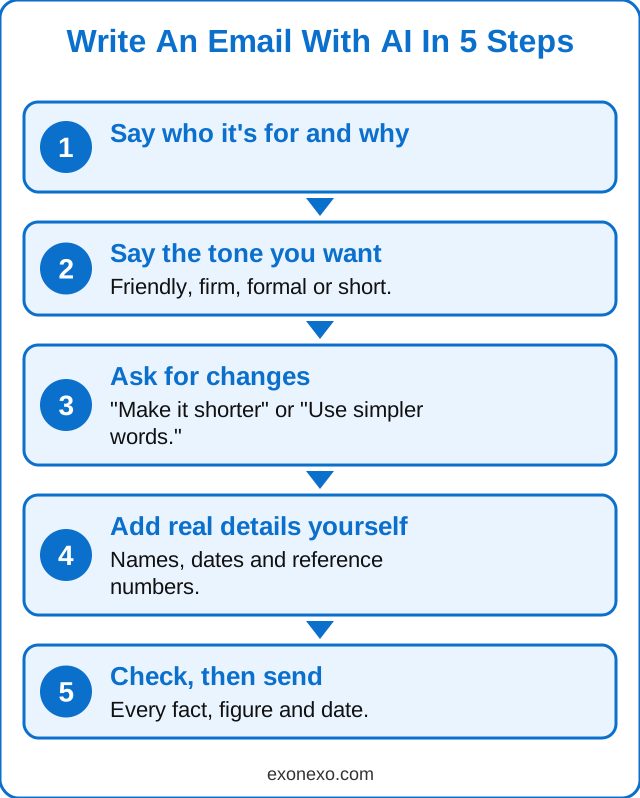
Tell a free chatbot like ChatGPT or Gemini who the email is for, what you want to say and the tone you want. It writes a draft in seconds. Then you read it, ask for changes in plain words, add the real names and numbers yourself, and check it before sending.
Last reviewed: 16 October 2026.
Any free chatbot works, such as ChatGPT, Gemini, Microsoft Copilot or Claude. You can use it on a computer, tablet or phone. You don't need to pay.
If you are on a phone and typing is fiddly, tap the microphone and say what you want instead.
Copy one of these into the chatbot and change the words in brackets:
Complaint: "Write a firm but polite complaint to [shop name]. I bought [item] on [date] and it stopped working after [time]. I would like a refund or replacement."
Cancelling something: "Write a short email cancelling my [magazine or gym] subscription from the end of this month. Ask them to confirm in writing."
Thank-you note: "Write a warm thank-you note to [name] for [what they did]. Keep it to four sentences."
To the doctor's surgery or council: "Write a clear, polite email to my [GP surgery or council] asking about [question]. Keep it short."
Sympathy message: "Help me write a short, gentle sympathy message for a card to a friend whose husband has died. Don't make it sound formal."
Yes. Paste in the letter with your personal details removed and ask: "What is this letter asking me to do, in simple words?" Then ask: "Help me write a short reply."
If the letter is on paper, you can take a photo of it in the ChatGPT or Gemini app. Cover your account number and address first. See how to use your phone to read small print.
Leave out account numbers, passwords and your full address while you draft. Add them yourself at the end, outside the chatbot.
Leave your Social Security number out of anything you paste into a chatbot.
Leave your National Insurance number out of anything you paste into a chatbot.
Yes. Free versions of ChatGPT, Gemini, Copilot and Claude can all draft emails and letters.
Yes, as long as you read it, check the facts and make sure it says what you mean. You are responsible for what you send.
Not usually, especially if you change a few words so it sounds like you.
No. Leave account numbers, passwords and ID numbers out. Add them to the email yourself after you copy it.
Yes. Tell it what happened, what you want, and that you want it firm but polite.
New to all this? Our free AI Starter Guide walks you through the basics, and you can print it.
Make text bigger, read it aloud or explain it.
Twelve free, easy apps. No paid placements.
Get the real app, sign in, type or talk, and stay safe.
A short email every Thursday with new guides, one useful tip and the AI news that matters. Free, and you can unsubscribe at any time. See past issues.
Updated 24 October 2026