

How To Talk To ChatGPT Out Loud
You can talk to ChatGPT instead of typing. Open the ChatGPT app, tap the Voice icon in the message bar, allow the microphone the first time, and start speaking. ChatGPT answers out loud, and its words appear on screen as it speaks. Voice works on the free plan with daily limits, on iPhone, Android and at chatgpt.com.
Works with: the free ChatGPT app on iPhone and Android, and chatgpt.com in a web browser.
Quick Steps
- Open the ChatGPT app.
- Tap the Voice icon in the message bar.
- Allow the microphone (first time only) and pick a voice.
- Start talking. Tap the exit button to finish.
What Is ChatGPT Voice?
ChatGPT Voice lets you have a spoken conversation with ChatGPT, a bit like a phone call. You ask a question out loud and it answers out loud. It's handy if typing on a small screen is fiddly, if your hands are stiff, or if you'd simply rather chat.
The voice chat happens inside an ordinary ChatGPT chat. That means you can read along while it speaks, type a message when you can't talk, and scroll back to earlier answers. When you finish, a written transcript is added to the chat so you can read it again later.
The newest version is called Live. It can listen and talk at the same time, so you can interrupt it, the way you would a person. On 15 October 2026 OpenAI rolled out an update with more natural accents and new voices, which we covered in our news story on ChatGPT's new voices.
What Do I Need To Use It?
- A phone, tablet or computer with a microphone. Most phones and laptops have one built in.
- The ChatGPT app, free from the App Store (iPhone and iPad) or Google Play (Android). Check it's made by OpenAI, because copycat apps exist. Or use chatgpt.com in your web browser.
- A ChatGPT account. A free account works. Our guide on how to use ChatGPT on your phone shows how to sign up.
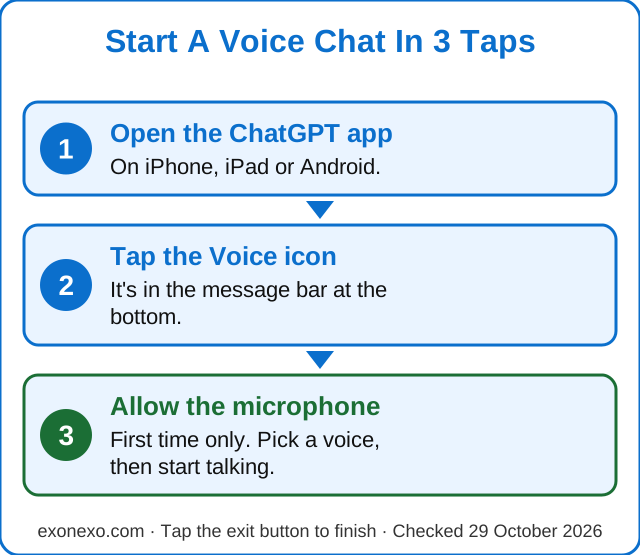
How Do I Start A Voice Chat On My Phone?
These are the steps from OpenAI's own help page for iPhone and Android:
- Open the ChatGPT app.
- Tap the Voice icon in the message bar at the bottom of the screen.
- If your phone asks, allow ChatGPT to use the microphone. You only do this once.
- The first time, you'll be asked to pick a voice. Choose one you find easy to hear. You can change it later.
- Start talking. Ask a question just as you would ask a friend.
During the chat, tap the microphone button to mute or unmute yourself, for example if someone comes to the door. Tap the exit button to end the voice chat. You can only have one voice chat going at a time.
How Do I Use Voice On A Computer?
- Go to chatgpt.com and sign in.
- Click the Voice icon in the box where you'd normally type.
- If the browser asks, allow it to use your microphone.
- Start talking. Click the microphone button to mute yourself and the exit button to finish.
Can I Interrupt It Or Ask It To Wait?
Yes. Live listens while it talks, so if an answer is going on too long, just start speaking and it should follow what you said last. Background noise and a weak connection can still confuse it.
If you like to think out loud before you get to the point, say at the start: "Wait until I ask you to respond." OpenAI says long pauses or other sounds may still make it reply, but it helps.
How Do I Change The Voice, Language Or Speed?
- Voice: go to Settings, then Voice, then Voice. English options include Arbor, Breeze, Cove, Ember, Juniper, Maple, Sol, Spruce and Vale, and a newer one called Bubbie. What you see can vary by country and account. Changing the voice in the middle of a chat starts a new voice call in the same chat.
- Language: if it keeps mishearing you, go to Settings, then Voice, then Language and pick the language you speak most. You can also just ask it to speak another language.
- Speed and tone: say "Please speak more slowly" or "Keep your answers short". There's no exact speed dial yet, but asking works.
Is ChatGPT Voice Free?
Yes, with limits. On the free plan you get limited daily use of voice chat, and OpenAI says those limits may change. ChatGPT tells you when you reach a limit, and you can carry on by typing. Use is counted over a rolling 24 hours.
Paid plans give more time. OpenAI's help page lists up to 3 hours a day on Go and on Plus, with Plus getting the fuller voice model. Plus costs $20 a month in the USA, according to OpenAI's help centre (checked 29 October 2026). UK prices are shown in pounds in the app before you pay.
What Happens To My Recordings?
This is worth knowing before you start, according to OpenAI's help page:
- Audio clips are kept for 30 days. Clips from Live voice chats are stored with the transcript in your chat history.
- Deleting the chat deletes the audio. OpenAI says it deletes the clips within 30 days of you deleting a chat, unless it needs to keep them for safety or legal reasons. Archiving a chat only hides it; it doesn't delete anything.
- Your voice isn't used to train the AI unless you say so. That's a separate switch: Settings, then Data Controls, then Include your audio recordings. Leave it off if you're unsure.
- The written transcript is treated like a typed chat. If Improve the model for everyone is switched on, the words may be used for training. You can turn that off in the same Data Controls menu.
Treat a voice chat like any other chat: don't read out card numbers, passwords or your Social Security or National Insurance number. Our guide Does ChatGPT remember what you tell it? explains memory and how to switch it off.
What If It Mishears Me?
- Move somewhere quieter, or turn the TV down.
- Try headphones with a microphone, and turn your volume up.
- On an iPhone, during a voice chat, open Control Center, tap Mic Mode and choose Voice Isolation to cut out background sound.
- Check the words on screen. The transcript isn't word-for-word, so if something important looks wrong, say it again or type it.
Like typed ChatGPT, it can be wrong and still sound sure. Check anything about health, money or the law with a professional.
Should I Use Voice Or Dictation?
They're different. Voice is a back-and-forth conversation, with spoken answers. Dictation turns one recording into text that you can check and edit before you send it, and the answer comes back as normal text. Dictation is better when the wording matters, such as a letter. Voice is better for talking an idea through.
Can I Use It In The Car Or With My Phone Locked?
A voice chat can keep going while you use other apps or lock your phone. You can control this in Settings, then Voice. It ends when you end it, force-close the app or reach a limit.
ChatGPT is also available in Apple CarPlay on supported iPhones. OpenAI's advice is to set the app up before driving and not handle your phone while the car is moving. The rules on phones at the wheel differ between US states and the UK, and our guide to using Gemini in your car sets them out.
Common Questions
Is ChatGPT voice mode free?
Yes. The free plan includes limited daily voice chat, and OpenAI says the limits may change. Paid plans such as Go and Plus give up to 3 hours a day. Plus is $20 a month in the USA.
How do I start talking to ChatGPT?
Open the ChatGPT app, tap the Voice icon in the message bar, allow the microphone if asked, pick a voice the first time, then start talking. On a computer, click the Voice icon at chatgpt.com.
Does ChatGPT keep recordings of my voice?
Audio clips from voice chats are kept with the chat for 30 days. Deleting the chat deletes the clips within 30 days. They're not used for training unless you turn on Include your audio recordings in Data Controls.
Can I see the words while it talks?
Yes. With Live, ChatGPT's answers appear as text on screen while it speaks, and a transcript is added to the chat afterwards.
How do I stop ChatGPT talking?
Just start speaking to interrupt it, or tap the exit button to end the voice chat. Tap the microphone button to mute yourself.
New to all this? Our free AI Starter Guide walks you through the basics, and you can print it.
Sources
Last checked 29 October 2026.
Read Next
How To Use ChatGPT On Your Phone
Get the real app, sign in, type or talk, and stay safe.
Free AI Starter Guide
A printable 25-page guide to get started safely. Free PDF, no sign-up.
What Is AI? Explained Simply
Everyday AI, chatbots and staying safe, in plain words.
Also useful: Our beginner's guide to ChatGPT · ChatGPT Voice gets new voices and more natural accents
Get The Weekly exonexo Email
A short email every Thursday with new guides, one useful tip and the AI news that matters. Free, and you can unsubscribe at any time. See past issues.
Updated 29 October 2026